 Framer
1. Bundle a month of updates in one email
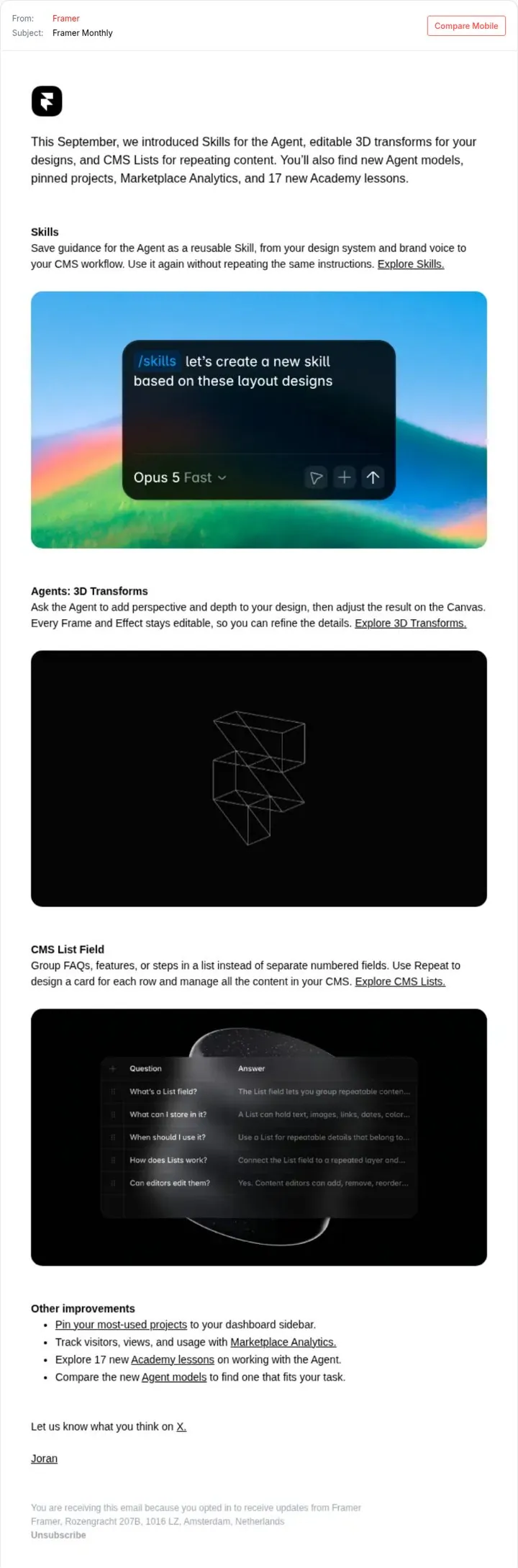
One monthly digest keeps users up to date without many emails.
- Send one update a month
- Open with a one line summary
- Give each feature a visual
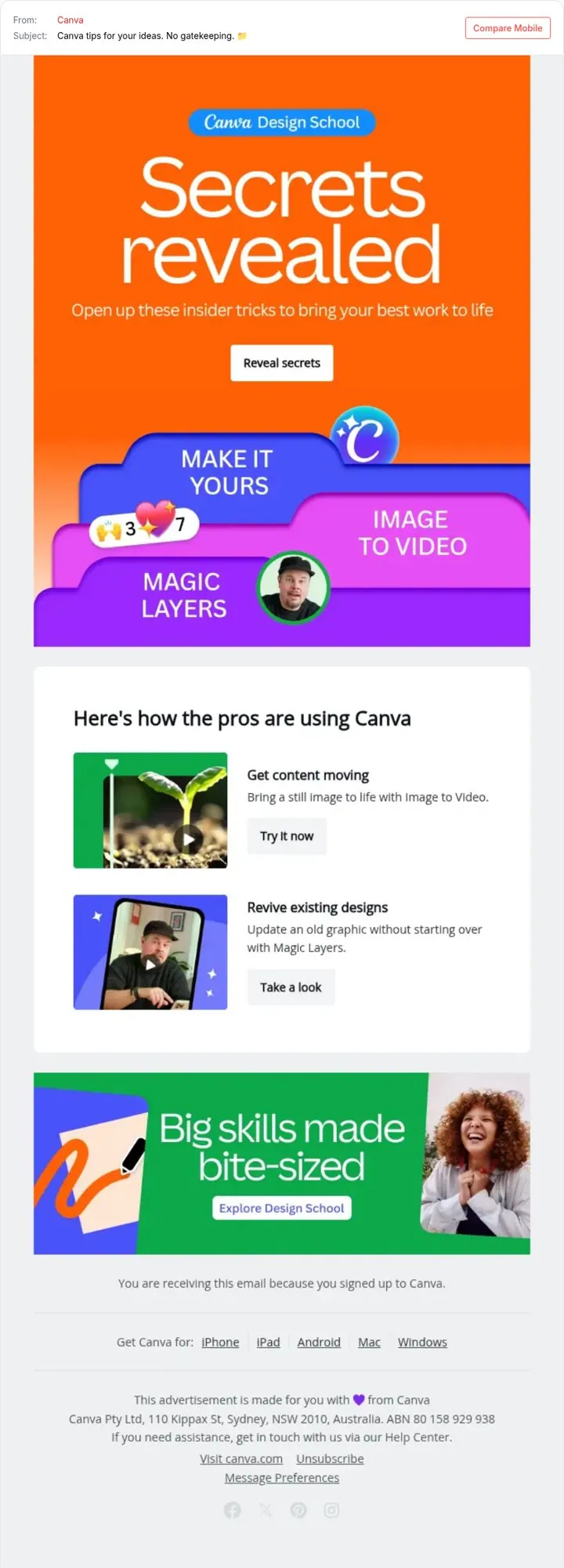
Framer and Canva take different routes with their emails. Framer's move is to bundle a month of updates in one email, and Canva's is to teach first then show the feature. One monthly digest keeps users up to date without many emails.
Updated · By Blake Emal · 3 real examples, each linked to its source
| Framer | Canva | |
|---|---|---|
| The move | Bundle a month of updates in one email | Teach first then show the feature |
| What they did | Framer Monthly lists the month's launches like Skills for the Agent with a visual for each. | Canva's Design School email says Secrets revealed and shows how the pros use features. |
| Why it works | One monthly digest keeps users up to date without many emails. | Tips feel like a gift, and the features come along for the ride. |
| First step to copy | Send one update a month | Frame features as tips |
| Examples in our library | 4 | 4 |
FramerOne monthly digest keeps users up to date without many emails.
 Canva
CanvaTips feel like a gift, and the features come along for the ride.
 Canva
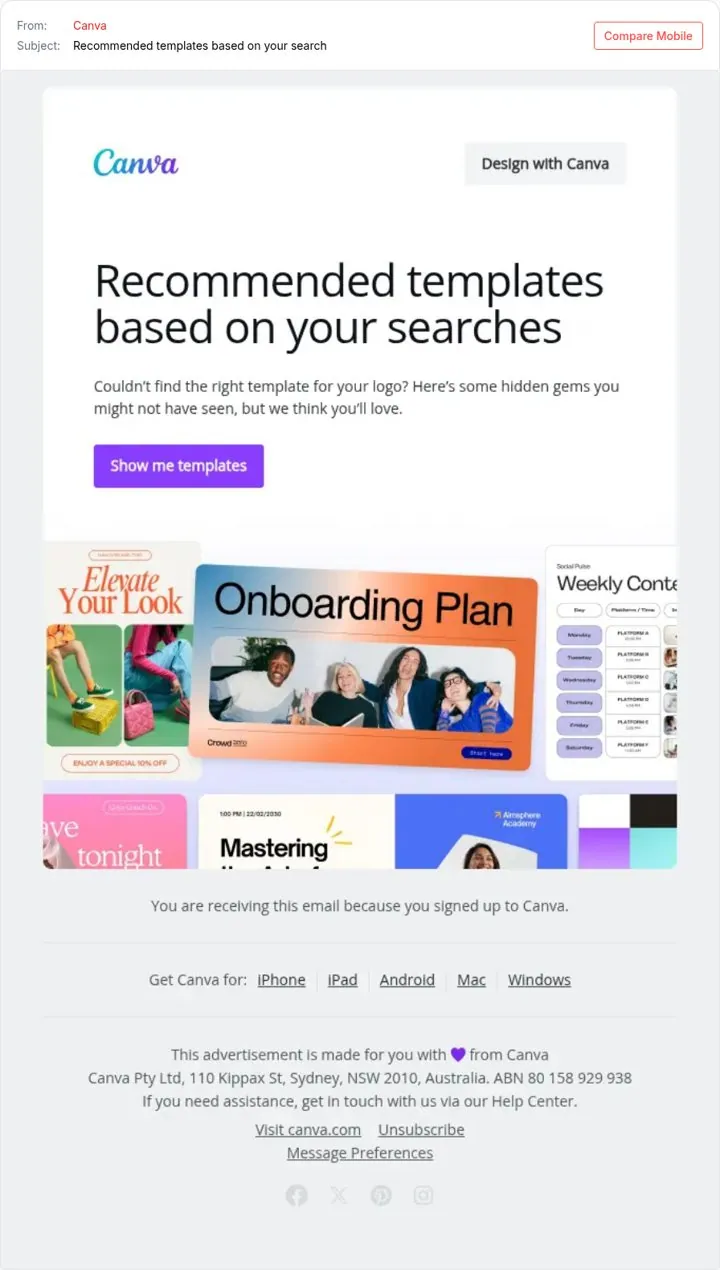
CanvaUsing their own search makes the email feel like help, not a blast.
Neither is better in general. Framer's approach suits you if one monthly digest keeps users up to date without many emails. Canva's suits you if tips feel like a gift, and the features come along for the ride.
Yes. Most pages and posts can use more than one move, as long as the main message stays clear.
Both are public examples with source links, captured by Today’s Marketing in October 2026.