 Close
CloseShow the integrations teams set up first
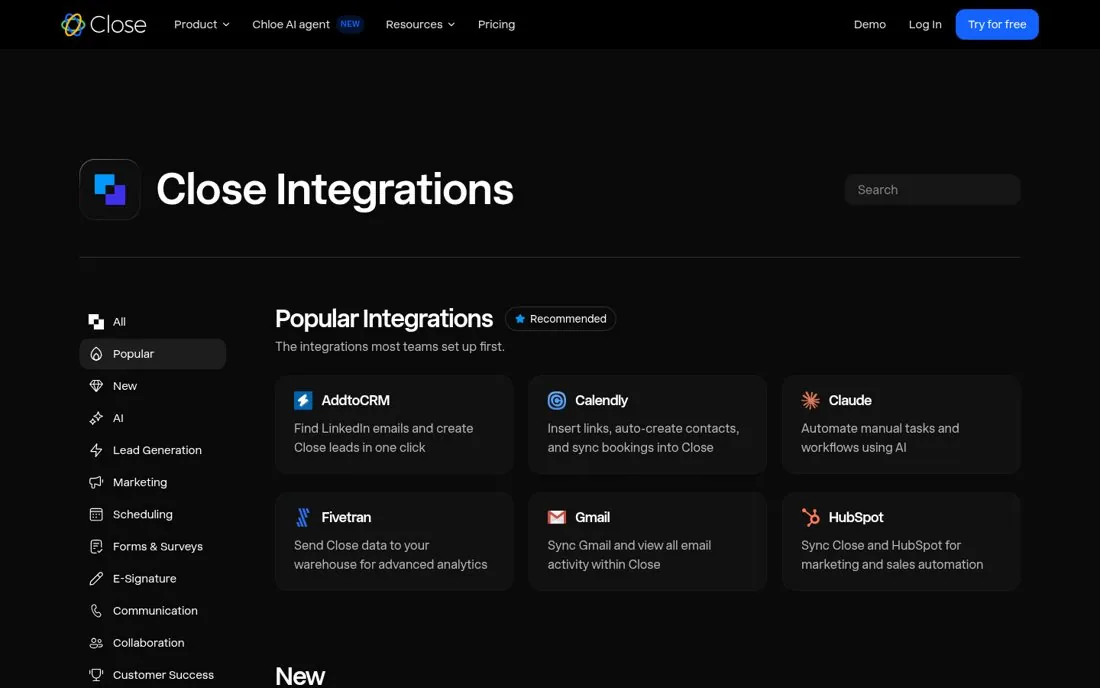
The Close Integrations page opens a Popular Integrations row with the line The integrations most teams set up first. Each card says what the integration does in one line, like Calendly: Insert links, auto-create contacts, and sync bookings into Close. A category list with AI, Lead Generation and Scheduling sits on the left.
Updated · By Blake Emal
New users want to copy what working teams do, so a short list of first setups beats an alphabetical wall. To copy it, find the integrations most customers add first. Then show them in their own row at the top.
- Find the integrations most customers add first
- Show them in their own row at the top
- Give each one a single line of what it does
Live page captured Oct 23, 2026 · Close