 Productboard
Draw how data flows in and out
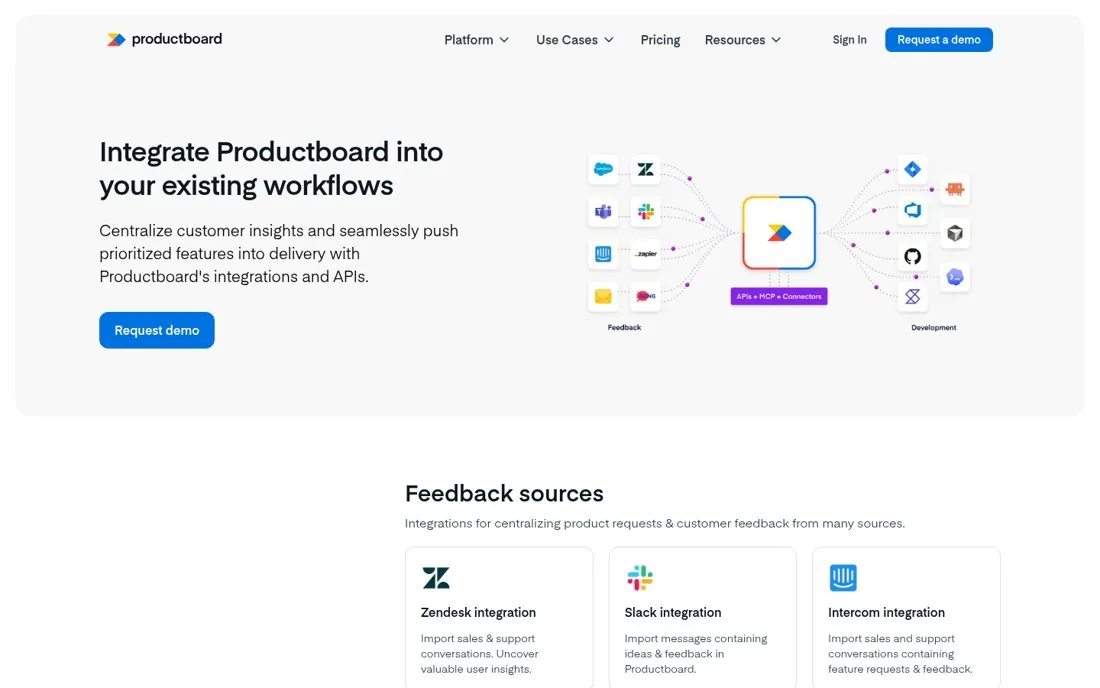
Productboard's hero is Integrate Productboard into your existing workflows, beside a diagram with feedback tools like Salesforce, Zendesk, Slack and Intercom on the left, Productboard in the middle and development tools like Jira and GitHub on the right. Sections below follow the same split, starting with Feedback sources.
Updated · By Blake Emal
One picture shows where Productboard sits in the stack, so a reader sees the whole workflow before reading a single card. To copy it, draw your tool in the middle of the stack. Then put inputs on one side and outputs on the other.
- Draw your tool in the middle of the stack
- Put inputs on one side and outputs on the other
- Use the same groups as page sections
Live page captured Oct 23, 2026 · Productboard