 Xero
XeroSort apps by the job to be done
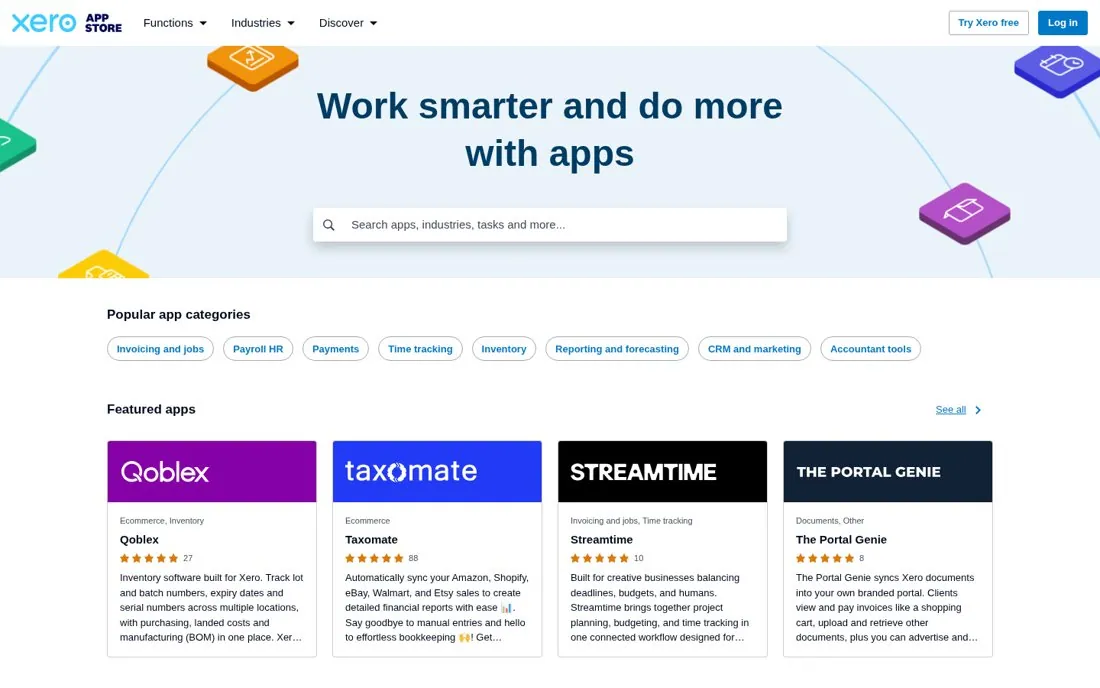
The Xero App Store opens with Work smarter and do more with apps, a search box for apps, industries, tasks and more, and Popular app categories named after jobs: Invoicing and jobs, Payroll HR, Payments, Time tracking and Inventory. Featured app cards show star ratings and review counts.
Updated · By Blake Emal
Small business owners think in tasks, not app names, so job named categories get them to the right app in one click. To copy it, name categories after the task, not the tech. Then let search take tasks and industries.
- Name categories after the task, not the tech
- Let search take tasks and industries
- Show ratings on every card
Live page captured Oct 23, 2026 · Xero