 MiniMailer
Put the opening date in a badge
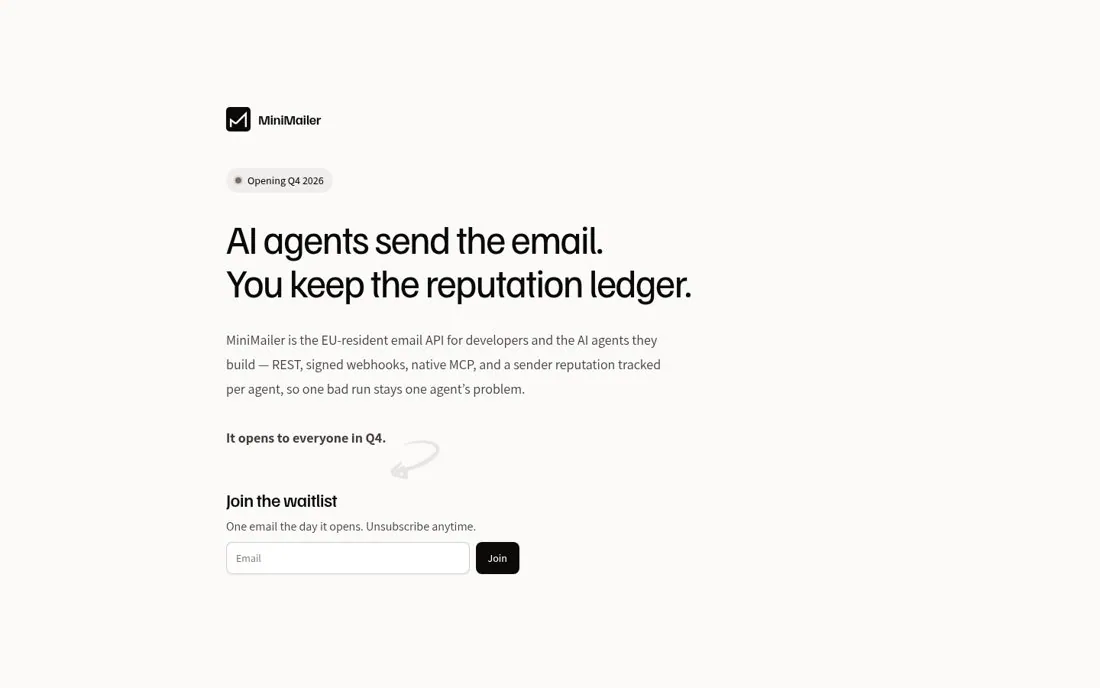
MiniMailer's homepage has an Opening Q4 2026 badge over the headline AI agents send the email. You keep the reputation ledger. It describes an EU-resident email API for developers and their AI agents, says It opens to everyone in Q4, and offers Join the waitlist with One email the day it opens. Unsubscribe anytime.
Updated · By Blake Emal
A visible opening date tells developers whether to wait or look elsewhere, and one email on opening day is an easy yes. To copy it, show the opening date in a badge. Then name who it is for in the first line.
- Show the opening date in a badge
- Name who it is for in the first line
- Promise one email on launch day
Live page captured Oct 25, 2026 · MiniMailer
Landing Page ExamplesWaitlist and Coming Soon Page ExamplesWhat a waitlist page should include