Today’s Marketing

What to put in a Product Hunt gallery

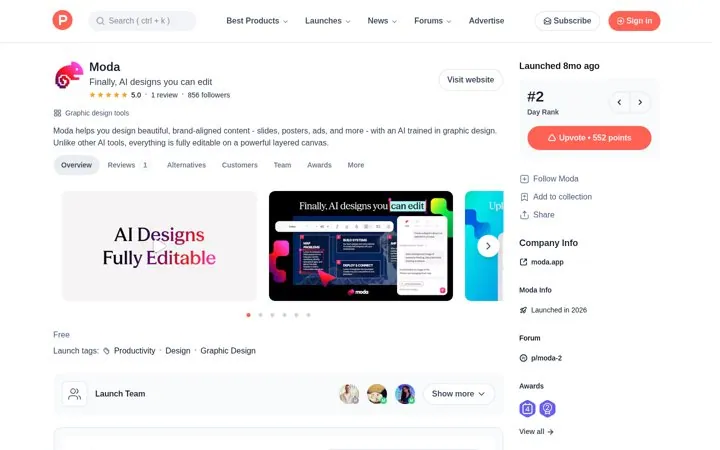
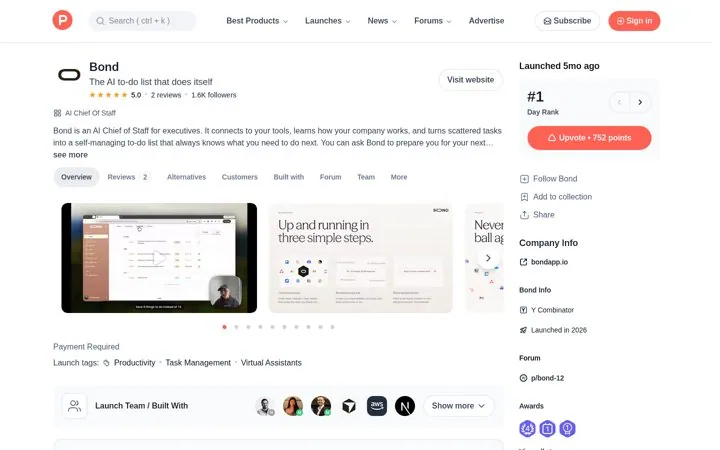
A Product Hunt gallery should open with a short demo video or a card that restates the tagline, then show the product in use, one card per idea. Product Hunt requires at least two images and recommends 1270x760. Moda repeats its tagline on the first card, Bond shows setup in three steps, and ReSO AI adds a clickable demo.

Updated · By Blake Emal · 6 real examples, each linked to its source

What are the steps

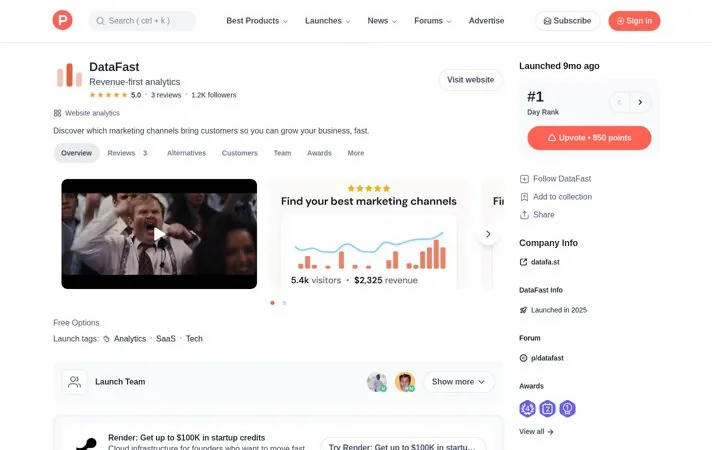
  1. Open with a video or the taglineDataFast opens with a launch video, and Moda's first card repeats its tagline.
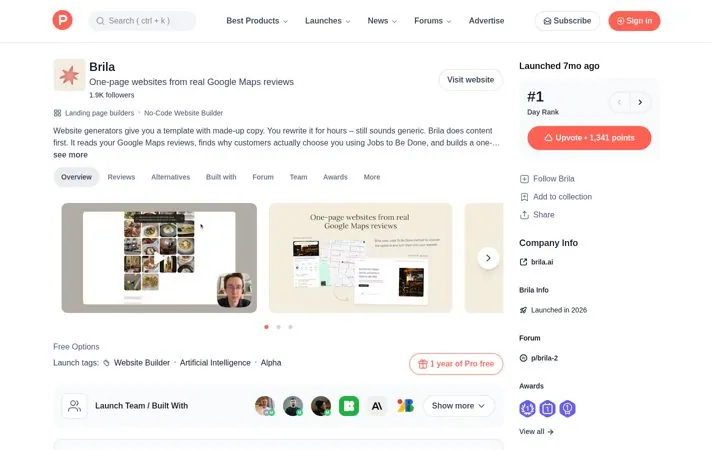
  2. Show the product in useBrila shows a site built from a business's review photos.
  3. One idea per cardBond's card says Up and running in three simple steps.
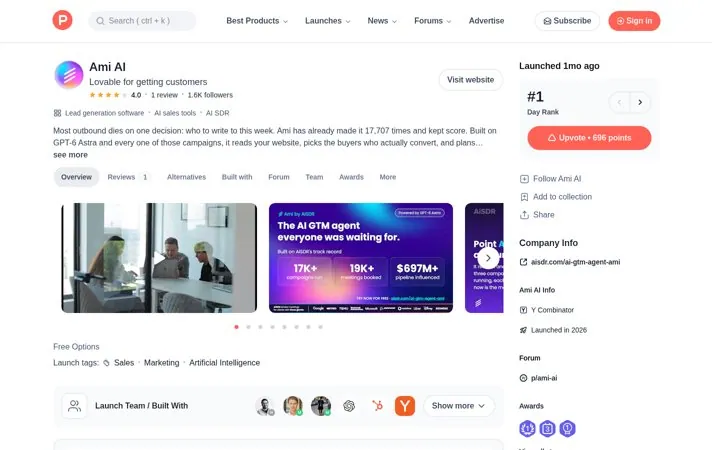
  4. Add proof you can back upAmi AI's card lists the team's own track record.
  5. Try an interactive demoReSO AI opens with an Arcade demo.

How do the options compare

CardWhat it doesReal example
VideoShows it working fastDataFast, Bond
Tagline cardRestates the promiseModa, Fundraisly
Product in useProves it is realBrila, Stitch
Setup stepsShows it is easyBond
Track recordAdds proofAmi AI
Clickable demoLets people try itReSO AI

Where do these numbers come from

  1. Product Hunt, Preparing for launch
  2. Product Hunt Launch Guide

Which real examples show it

Repeat the tagline on the first card
Moda

1. Repeat the tagline on the first card

The first image restates the promise, so the tagline still lands for people who only look at the gallery, and past results tell the community this maker ships.

  1. Repeat the tagline on the first gallery card
  2. Show the product in the second card
  3. Mention past launches in the first comment
Full breakdown · Source

Add a clickable demo to the gallery
ReSO AI

3. Add a clickable demo to the gallery

A clickable demo lets people try the product without signing up, and a bold question on the thumbnail earns the click on a crowded page.

  1. Put an interactive demo first in the gallery
  2. Use a question as a video thumbnail
  3. Walk through the product in numbered steps

Full breakdown · Source

Tell the founder story with real numbers
DataFast

4. Tell the founder story with real numbers

A slow, honest start followed by today's numbers reads as earned, and calling this the first real launch gives people a reason to show up on the day.

  1. Open the maker comment with why you built it
  2. Share your real numbers from the start and from today
  3. Lead the gallery with a short launch video

Full breakdown · Source

Give launch day visitors a code
Brila

6. Give launch day visitors a code

A one step way to try it and a limited code reward the people who show up on launch day, and the fallback for latecomers keeps the comments coming.

  1. Explain your method in two lines
  2. Give one try it now step
  3. Offer a limited launch code with a fallback

Full breakdown · Source

Get three ideas for your own product

Pick a channel and a goal. Get real examples and a plan to fill in. Free, no login.

Open the idea generator

What else do people ask

How many gallery images does Product Hunt need

At least two. The gallery is not visible on the launch page until it has two or more images, and Product Hunt recommends 1270x760.

Do I need a video

Not always, but Product Hunt says about 53% of products that reached Product of the Day since 2021 included one.

Can I use GIFs

Yes. GIFs work in the gallery and thumbnail, but Product Hunt advises against strobing, quick cuts and unreadable text.

Related answers

One email every Monday