 Calendly
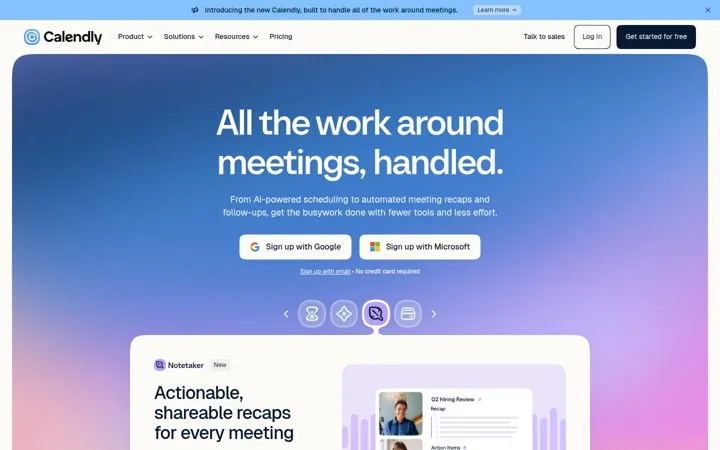
1. Expand the job before the feature list
Naming the whole job tells existing users there is more to buy without a single feature name.
- Name the job around your core feature
- Say it as a finished state
- List the new pieces below
Our library holds 2 public Calendly marketing examples across its homepage and pricing page, each linked to the source. The two moves: expand the job before the feature list, and use the pricing page to sell the add on. Each one below has what Calendly did, why it works and the steps to copy it.
Updated · By Blake Emal · 2 real examples, each linked to its source
| Channel | Move | Source |
|---|---|---|
| Landing pages | Expand the job before the feature list | Link |
| Pricing pages | Use the pricing page to sell the add on | Link |
CalendlyNaming the whole job tells existing users there is more to buy without a single feature name.
 Calendly
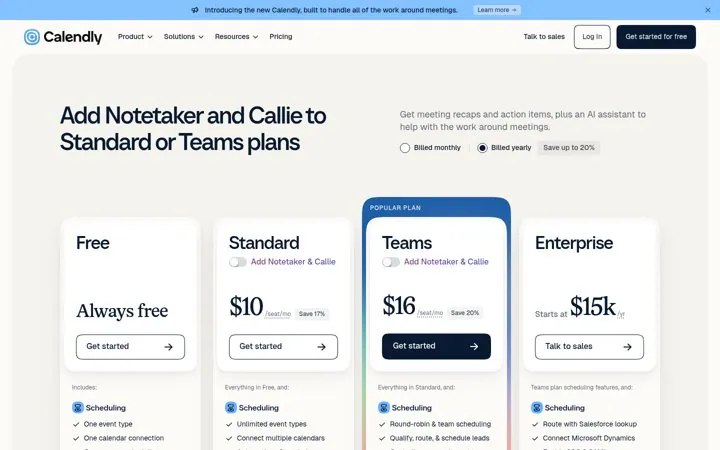
Pricing pages get high intent visits, so naming the new add on there reaches buyers already deciding.
In our library: homepage and pricing page. The library covers public examples only, so Calendly may use other channels too.
Expand the job before the feature list: Name the job around your core feature; Use the pricing page to sell the add on: Put your newest add on above the plans.
Each one is a public page, post, ad or email with a link to the source, captured by Today’s Marketing in October 2026.