 PostHog
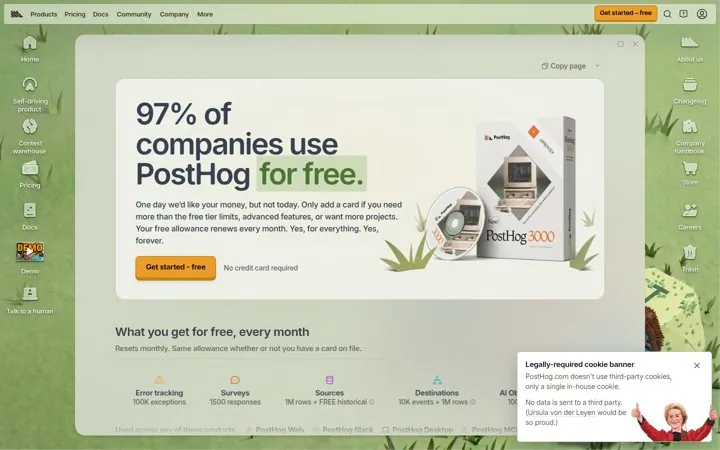
1. Lead with how many people pay nothing
Starting with free builds trust before any number shows up.
- Open with your free plan story
- List what free includes every month
- Explain why someone would pay later
A good SaaS pricing page answers three questions in order: which plan is for me, what will it cost as I grow, and what do I do next. Put every plan on one row, lead with the free option if you have one, show how usage changes the price, and put proof next to the numbers.
Updated · By Blake Emal · 6 real examples, each linked to its source
| Move | What it fixes | Real example |
|---|---|---|
| Free plan first | Fear of commitment | PostHog |
| Cost control promise | Fear of a surprise bill | Vercel |
| Usage slider | Cannot estimate the bill | Resend |
| One clean row | Too many choices | Linear |
| AI as an add on | Confusing AI pricing | Raycast |
PostHogStarting with free builds trust before any number shows up.
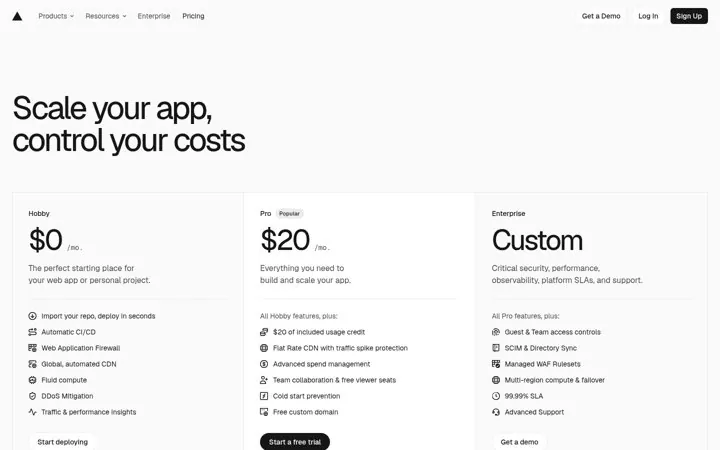
 Vercel
A headline about control calms the fear of surprise bills.
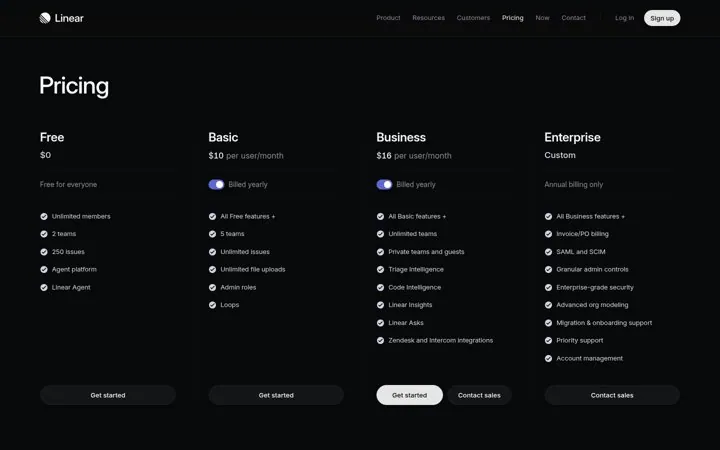
 Linear
Four plans in one row make comparing take seconds.
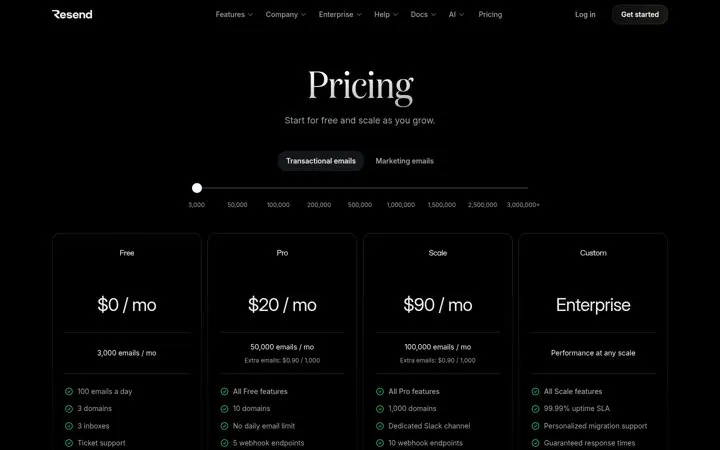
 Resend
A slider turns a pricing table into a personal quote.
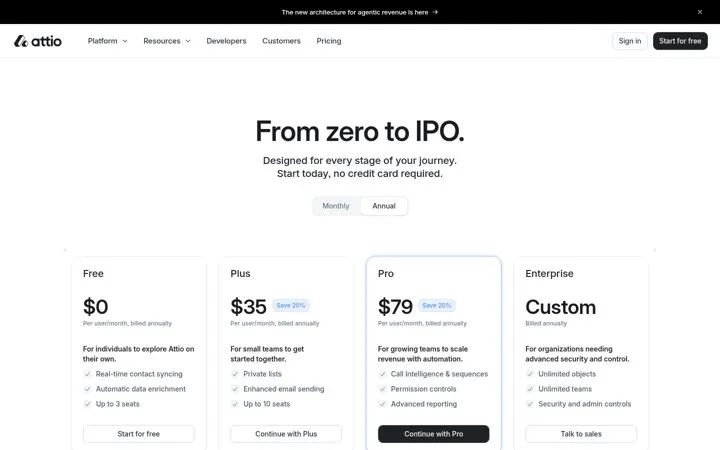
 Attio
AttioBuyers see a plan for today and a plan for later.
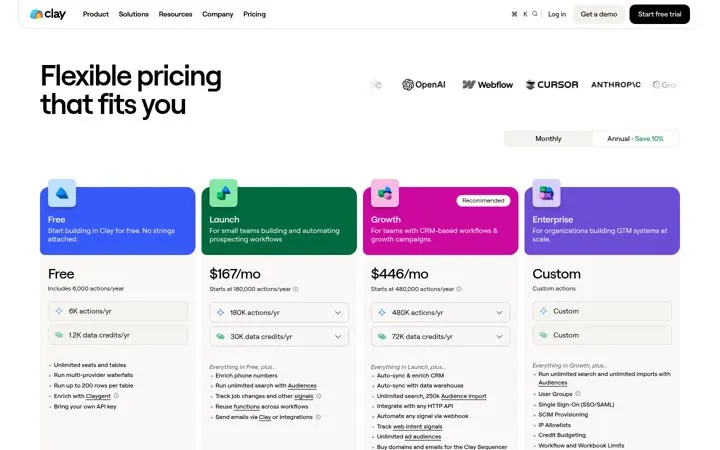
 Clay
ClayKnown logos make the price feel safe to pay.
Pick a channel and a goal. Get real examples and a plan to fill in. Free, no login.
Show prices for self serve plans. Keep contact sales for the enterprise tier where the deal really is custom.
Show the price people actually pay most often and make the toggle obvious.
Yes once you have more than two plans. Put it below the plan cards.