Today’s Marketing

What a SaaS integrations page should include

A SaaS integrations page should open with your integration count or the job the integrations do, then give people a search box, categories named after tasks, a row of the most used integrations, one line per card on what each does, and a way to request a missing tool or reach the API docs.

Updated · By Blake Emal · 6 real examples, each linked to its source

What are the steps

  1. Headline with the count or the jobOkta leads with more than 8,000 ready-to-use, pre-built integrations.
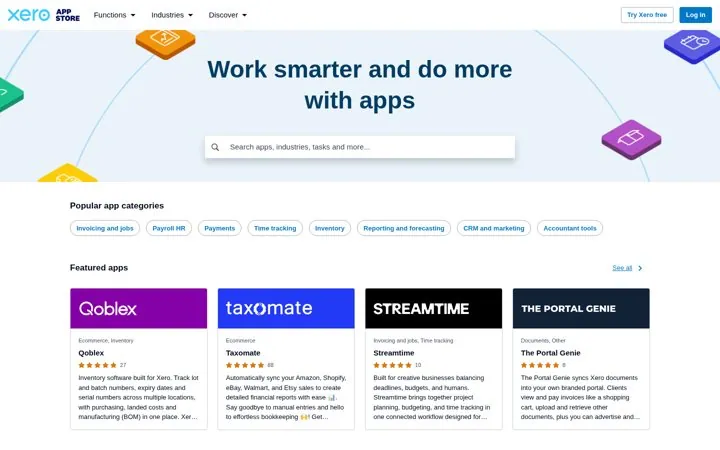
  2. Search right under itXero lets people search apps, industries and tasks from the hero.
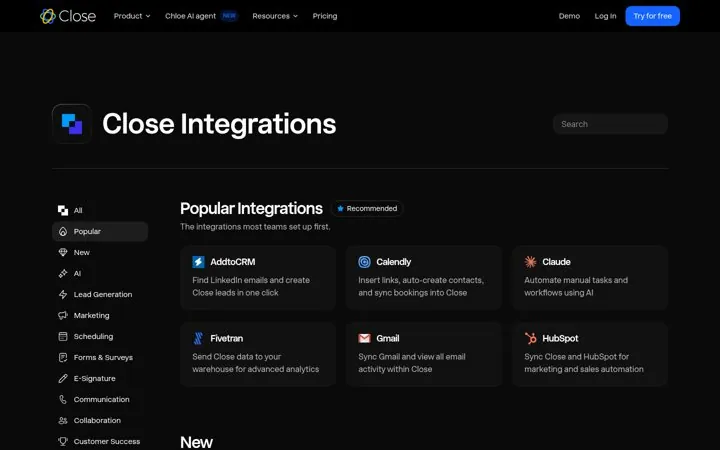
  3. Popular integrations firstClose opens with the integrations most teams set up first.
  4. One line per cardSay what the integration does, like Calendly bookings syncing into Close.
  5. A path for missing toolsAshby adds Open API docs and a Submit Request button.

How do the options compare

ElementJob it doesReal example
Count in the headlineProves breadthOkta
Task named categoriesSpeeds up browsingXero
Popular rowShows what to set up firstClose
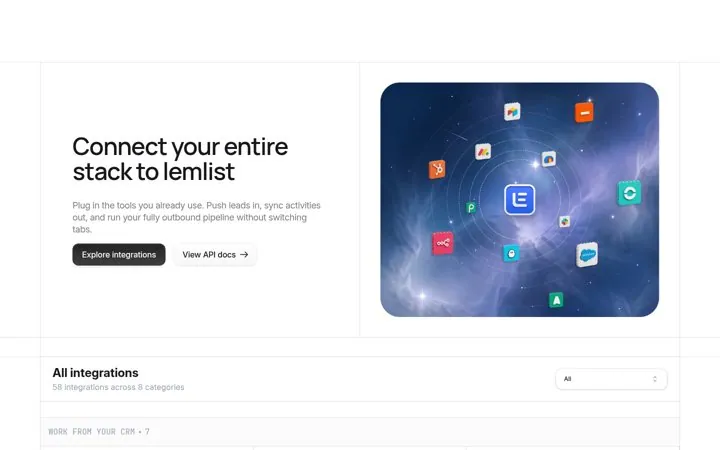
Sync tags on cardsShows how deep it goeslemlist
Request buttonSaves the missing tool dealAshby

Where do these numbers come from

  1. Okta Integration Network

Which real examples show it

Lead with the size of the network
Okta

1. Lead with the size of the network

A big, exact count answers the buyer's first worry, will it work with my tools, before they type a single search.

  1. Put your integration count in the headline
  2. Show the exact live number next to the list
  3. Tag each card with what it supports

Full breakdown · Source

Sort apps by the job to be done
Xero

2. Sort apps by the job to be done

Small business owners think in tasks, not app names, so job named categories get them to the right app in one click.

  1. Name categories after the task, not the tech
  2. Let search take tasks and industries
  3. Show ratings on every card

Full breakdown · Source

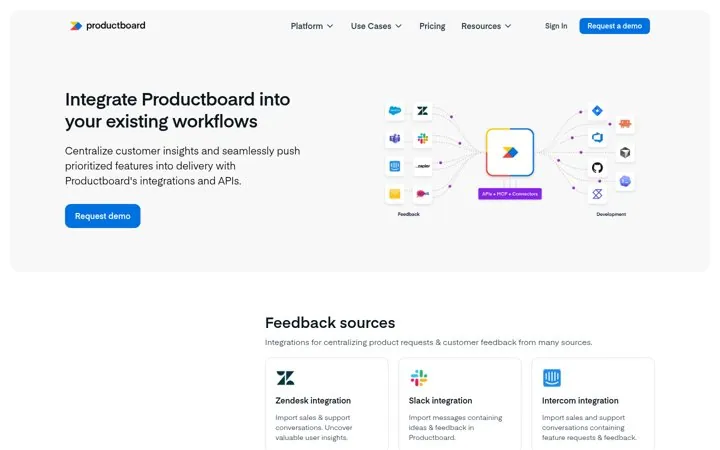
Draw how data flows in and out
Productboard

6. Draw how data flows in and out

One picture shows where Productboard sits in the stack, so a reader sees the whole workflow before reading a single card.

  1. Draw your tool in the middle of the stack
  2. Put inputs on one side and outputs on the other
  3. Use the same groups as page sections

Full breakdown · Source

Get three ideas for your own product

Pick a channel and a goal. Get real examples and a plan to fill in. Free, no login.

Open the idea generator

What else do people ask

Do you need an integrations page if you only have a few integrations

Yes, if buyers ask about them. A short page with a clear line per integration and an API docs link still answers the question, and it grows with you.

Should each integration get its own page

Popular ones should, because people search for your product name plus the other tool. Keep the hub for browsing and the single pages for detail.

Where should the integrations page live in the navigation

Somewhere buyers find it before they buy, like the product menu or the footer, not only inside settings.

Related answers

One email every Monday