 Today’s Marketing
Eight moves to copy
Issue 8 · Sent · By Blake Emal
The eight best marketing examples of the week and how to use each one
1Turn product data into a chart buyers find themselves in
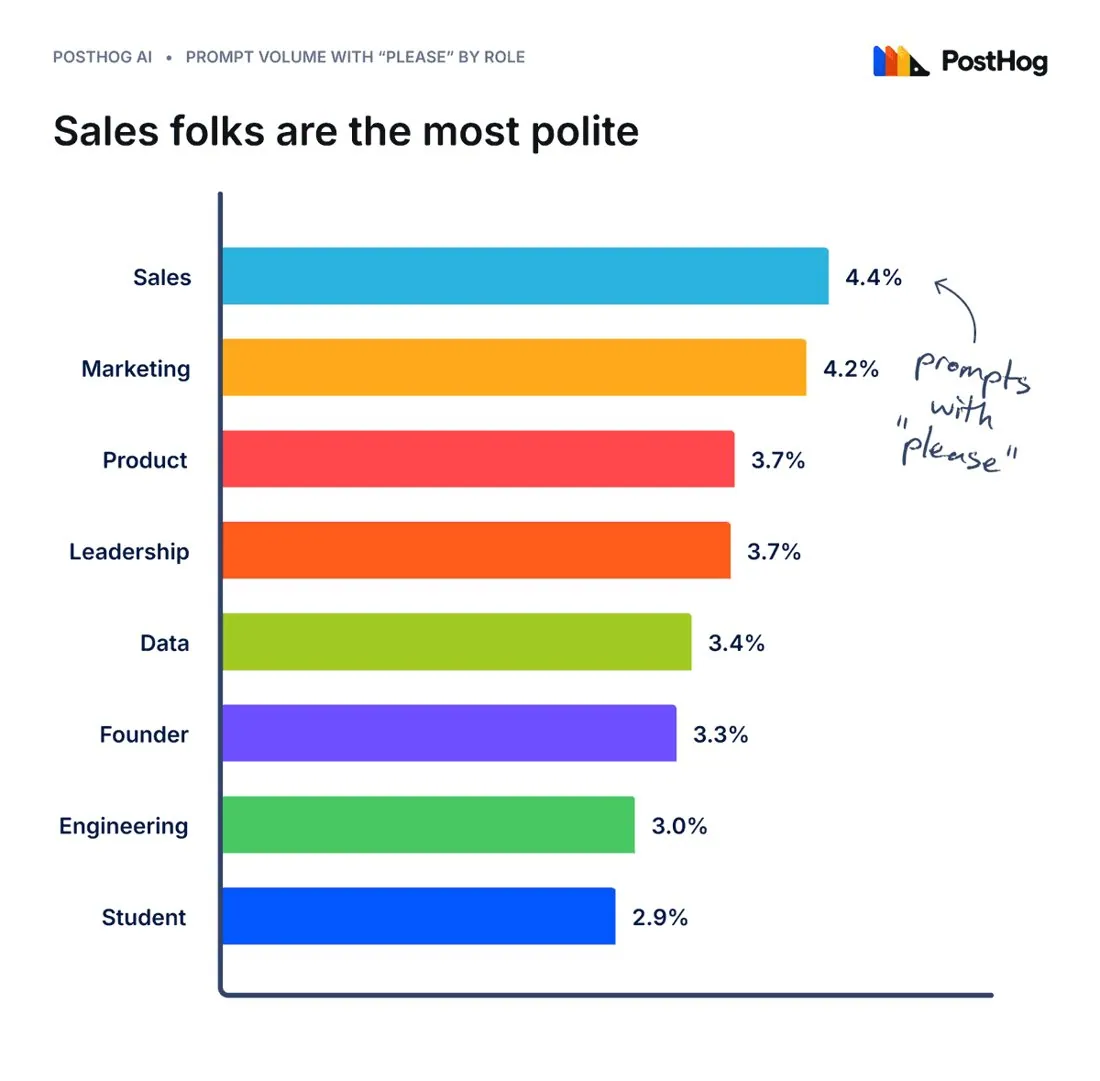
PostHog posted a Nov 6 chart that ranks job roles by the share of prompts with please to PostHog AI, with Sales at 4.4% and Student at 2.9% as PostHog reports, so every reader looks for their own row. The research article linked in the thread is dated Oct 30.
Ask a human question of your product data, split it by a role your buyers hold, and label the measure, such as Share of [prompts] with [word] by [role].
2Show the step between the preview and the published app
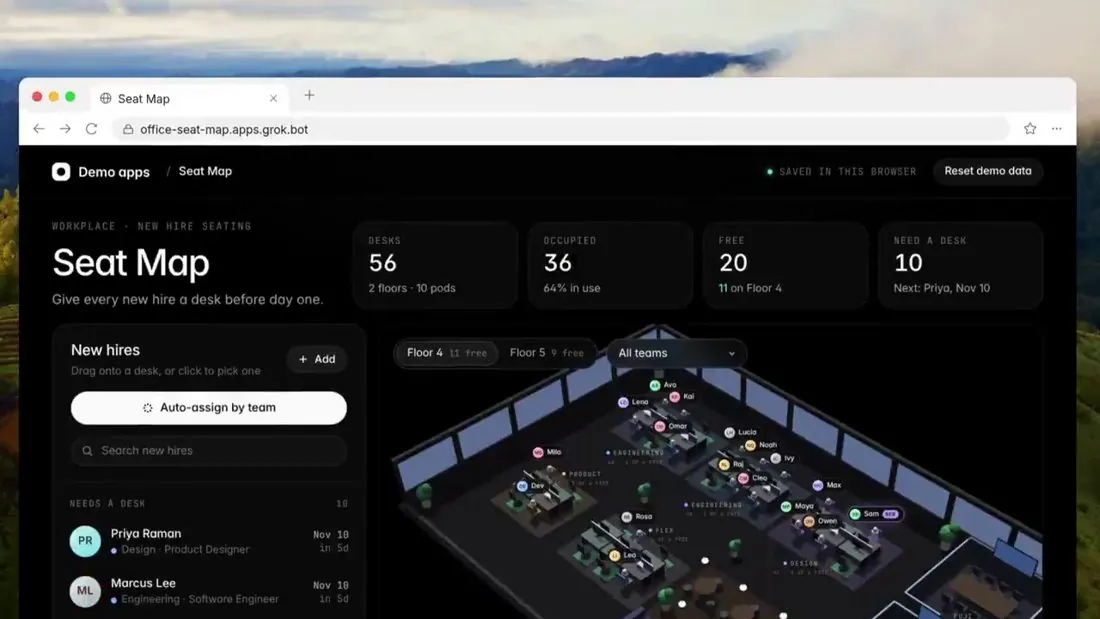
Cursor's Nov 5 video carries one seat map request through a split view with a 3D office preview, then Publish and domain setup, then the finished app in a browser, so the handoff off localhost is visible.
Keep one concrete team task through the preview, the publish controls and the live browser result, such as [Task]: preview, publish, open the link.
3Explain the stack through one coffee errand
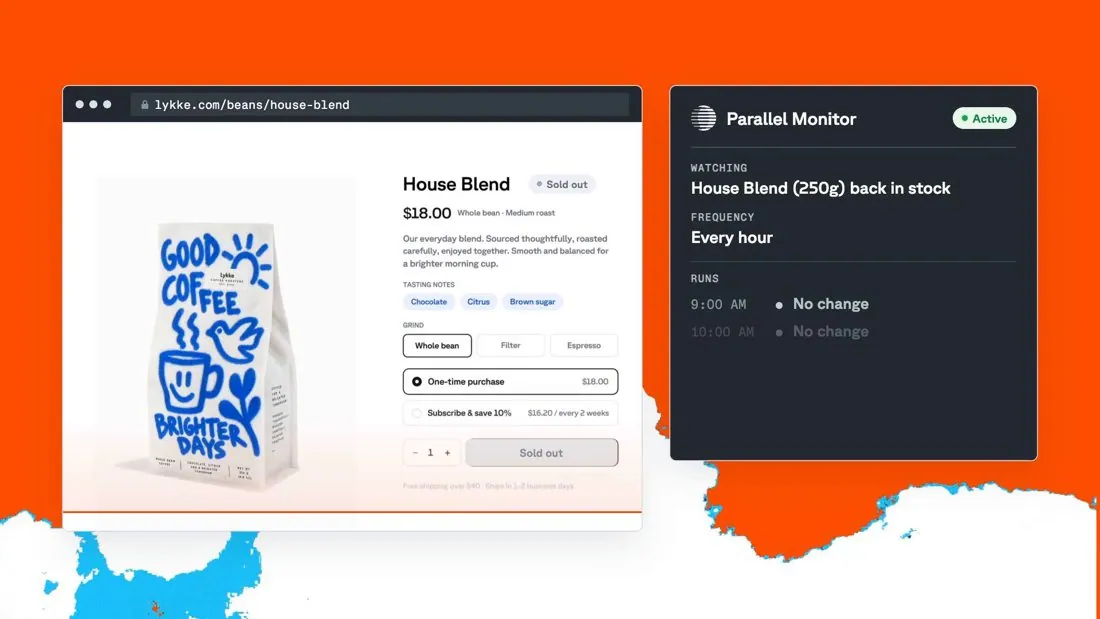
Browserbase's Nov 3 BELL and Parallel demo follows one coffee restock from the watch request to an hourly monitor, a stock alert, a user yes and a depicted checkout, so the partnership reads as a task people can follow.
Pick one item and carry it through the watch rule, the alert and the approval step before the depicted action, such as Watch [item]. Alert me. Ask before [action].
4Show what changes on the canvas
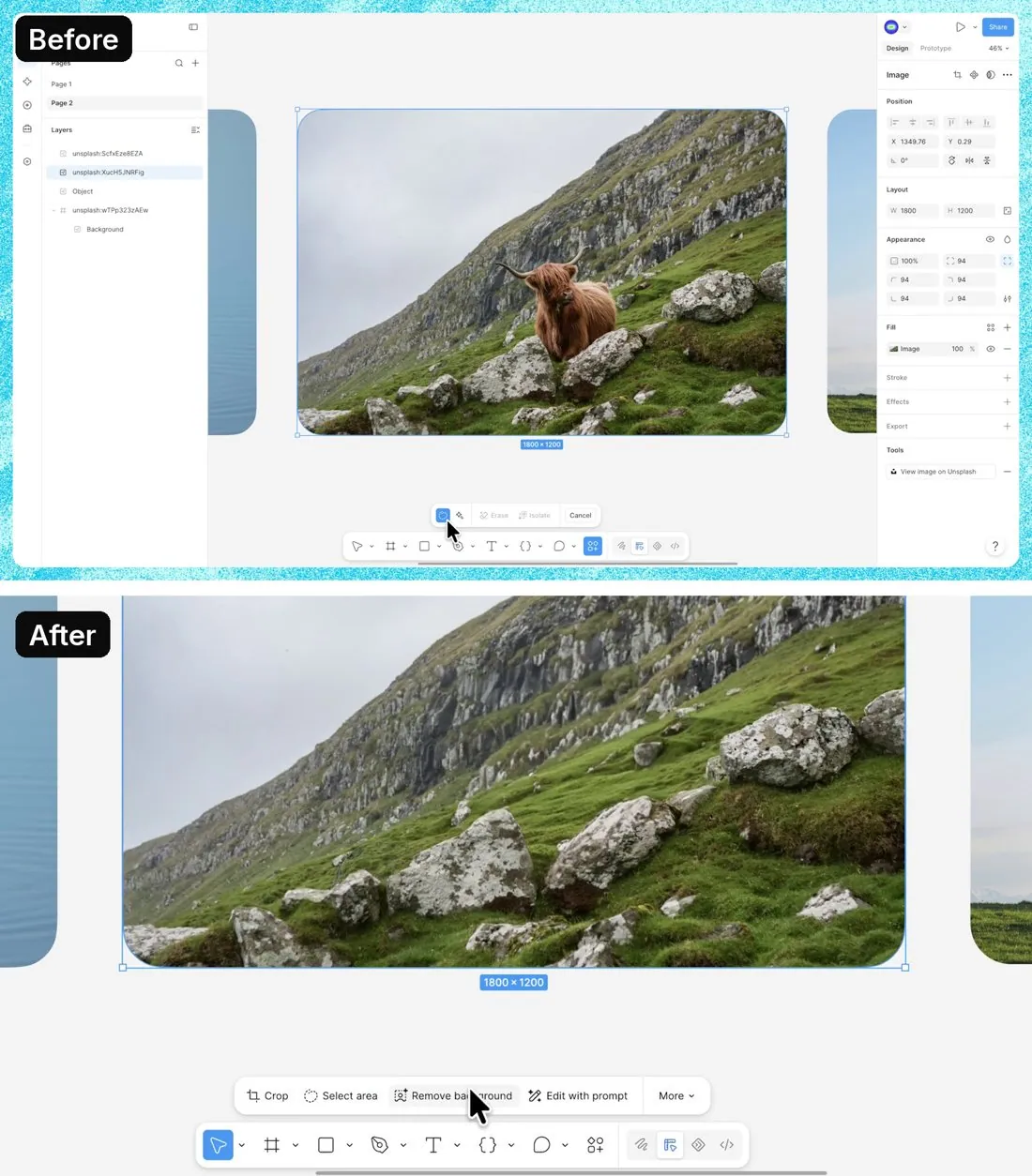
Figma's Nov 6 macOS desktop demo keeps a Highland cow on the canvas, then erases it in place so the before and after sit in the same editor frame.
Pick one clear object, keep the editor chrome visible and show the before and after on the same canvas, such as Erase [object] on [surface].
5Show the same memory used in another tool
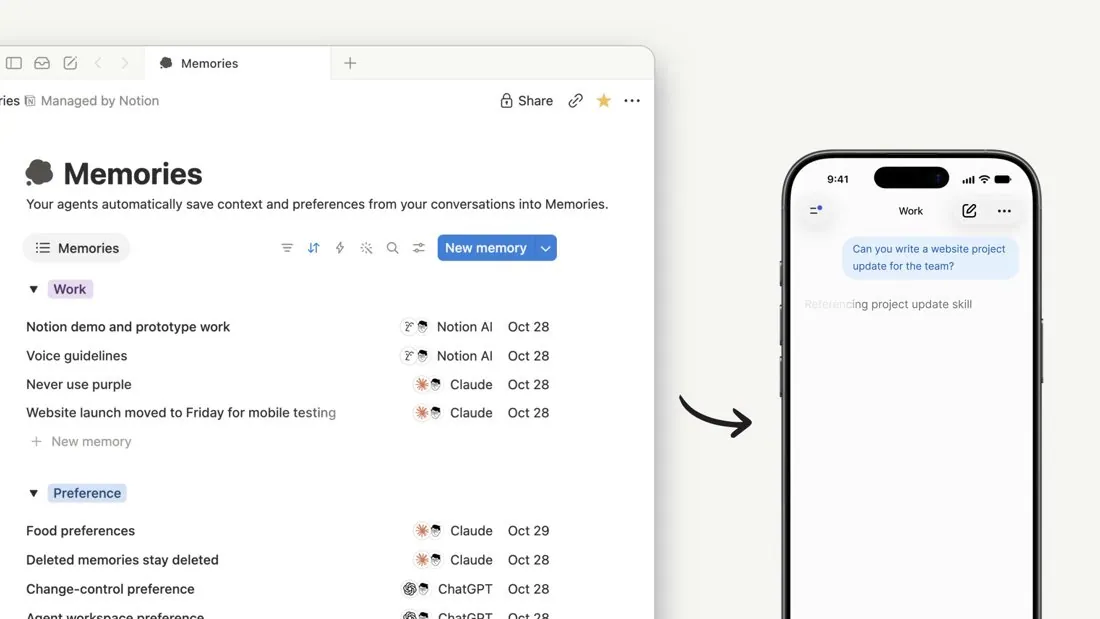
Notion's Nov 4 demo saves a brand rule and a date change to a Memories page list in one tool, then a phone assistant pulls that same context to draft an update.
Carry one concrete rule or date from the place it is saved into the next tool that uses it, such as Save [rule] once. Reuse it in [tool].
6Show the task people finish away from their desk

Linear's Nov 5 launch image puts a pull request named iPhone Duo Compatibility on the Diffs tab of a phone, with the code changes on screen, so mobile is framed as finishing a review away from a desk.
Show the finishable task on the new surface and name what carries over to desktop, such as Review [change] on [device]. Continue on [desktop].
7Make the workaround visible before the app
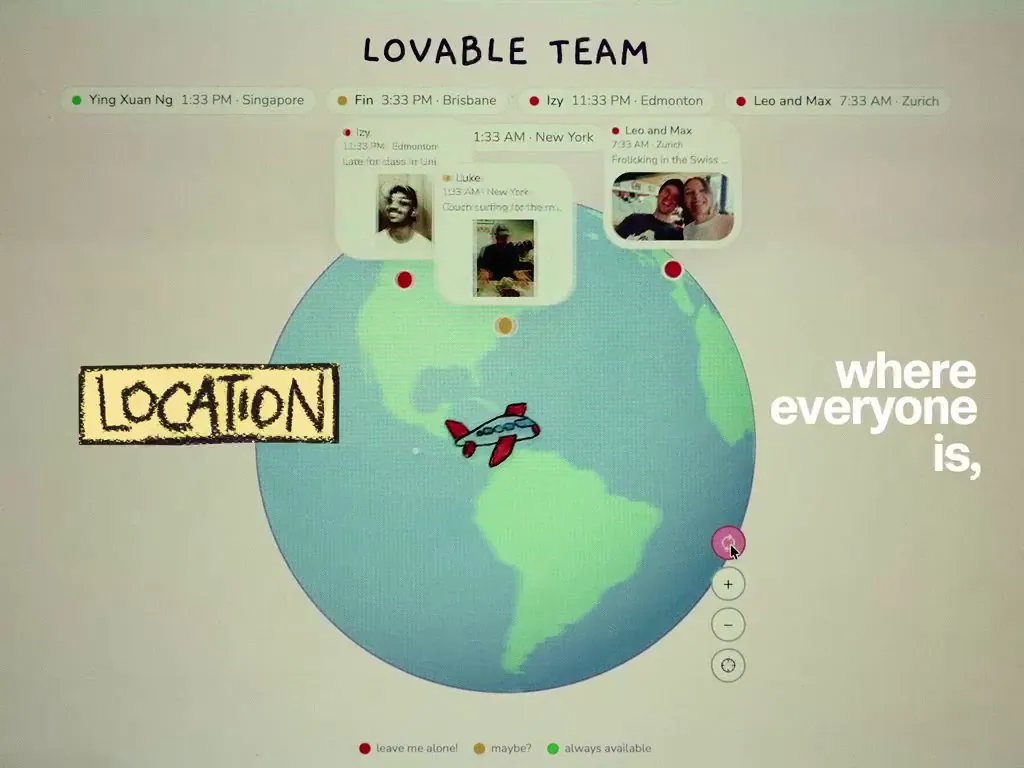
Lovable's Nov 4 film stages timezone friction first, then presents LINK UP with a 3D globe, participant times and status.
Open on the workaround your buyers already run, then show the fields that resolve it, such as Before: [workaround]. After: [app] with [field].
8Recruit ambassadors by teaching them a skill first

Clay's Nov 5 Applications now open poster lists learn to build with Clay, swag and credits, talks from startup leaders and meeting other ambassadors above an Apply now button, so the skill comes before the ask.
Lead with the skill the participant walks away with, then the perks and the ask, such as Learn [skill]. Get [perk]. Apply by [date].
Bring Blake your homepage or launch plan and fix it together on a live call. Book a call